THE GTA VI CALCULATOR
Your goal.
Your game plan.
Tell us how much you have and how much you want.
We’ll tell you how long it takes.

NEED HELP?
What do you want to calculate?
1. MY CALCULATIONS
Choose what you want to know.
Eight calculations, each answering one question. Simple: the answer in one sentence. Step by step: one question at a time. Expert: every setting and detail.
The numbers already filled in are demo examples, not game numbers: replace them with yours, ,
Leonidakit, leonidakit.com/calculateurs.html, Calculation made with your own numbers. It’s not a promise of earnings.
8 QUESTIONS, 8 CALCULATIONS, 1 BUSINESS PLAN
A calculation for every question.
Activities that make money
Robbing a bank, delivering, fishing, racing: here are the activities known so far, what you need before you start and where we saw them. How much does each one pay, and how long does it take? Nobody knows before the game comes out. These numbers will be added row by row with real measurements taken in the game, never with GTA V numbers.
| Activity | What you need first | Where we saw it |
|---|---|---|
| Bank heist | Not known yet | Not published |
| Convenience store or gas station robbery | Not known yet | Not published |
| Story missions | None | Not published |
| Debt collection for Brian Heder | None | Seen in trailer 2 |
| Classic car collection (Wyman) | Restoration | Confirmed, Ultimate Edition |
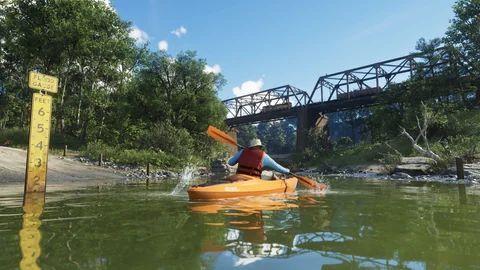
| Fishing | Gear | Seen in screenshots |
| Races and stunts | Vehicle | Not published |
| Deliveries and smuggling by sea | Boat | Brian’s boatyard, trailer 2 |
| Vehicle theft and resale | None | Not published |
| Muggings and pickpocketing | None | Not published |
As soon as an activity has its earnings and duration, the “My activities” tool will use them automatically.
PLAY MORE, CALCULATE LESS
Your play time counts.
A quick session tonight, a big purchase this weekend: see what each choice changes for you. Save your calculation, come back with your new numbers, and keep going.
Plan my play timeFrequently asked questions
Short answers, in plain words.
Is it free? Do I need an account?
Are these the real game numbers?
I don’t know how much I earn per hour. What do I do?
What’s “the money I set aside”?
Why are play time and the number of days different?
What does “paid back” mean?
How do I find my calculation later?
Does an unfinished mission count?
What does “What counts in this calculation” show?
Why are fuel and maintenance “to be confirmed”?
I don’t play in sessions. Does the business plan still work?
A link changed my calculation. Did I lose it?
Tricky words, explained simply
- Capital
- The money you have right now. Here we call it “I already have”.
- Fees
- What you have to pay to do a mission: ammo, gear, your crew’s share.
- Net earnings, or profit
- What you have left once you’ve paid your fees. A $100,000 reward with $20,000 in fees: your earnings are $80,000.
- Investment
- A purchase you make to earn more money later, like a business.
- Break-even
- The point where a purchase is paid back: it has made you as much as it cost you.
- ROI
- What a purchase has earned you, as a percentage of its price. 0% means paid back, 100% means it has made back twice its price.
- Reserve
- The money you set aside and don’t spend.
- Cooldown time
- How long a mission stays unavailable after you’ve done it.
- Running cost
- What a purchase keeps costing you while you use it: fuel, maintenance, ammo… Not known yet in GTA VI: it’s your number or a simulation.
- Full cost
- The price, plus the running cost over the number of sessions you entered, minus a resale value if you enter one.
- Requirements
- What you need to have or have done first: a vehicle for a mission, an unlock mission before another one.
- Low point
- The moment in your path when you have the least money left, after a purchase or fees.
WHAT’S NEXT?